
Six great ways to use your smart phone to keep up with what’s going on in the world
 COLUMN/ TECHNOLOGY: Mark Rogers is a newspaper web master by vocation and all-round go-to guy on apps, especially on news and journalism. His blog is called newsonaut.com.
By MARK ROGERS
With more than half of us now owning smart phones, there’s a lot of potential for keeping keeping up with the news on a device that always seems to be near at hand.
But with the popularity of phones from Apple, Samsung and the rest, there has been proliferation of news apps that makes choosing the right ones tricky at best.
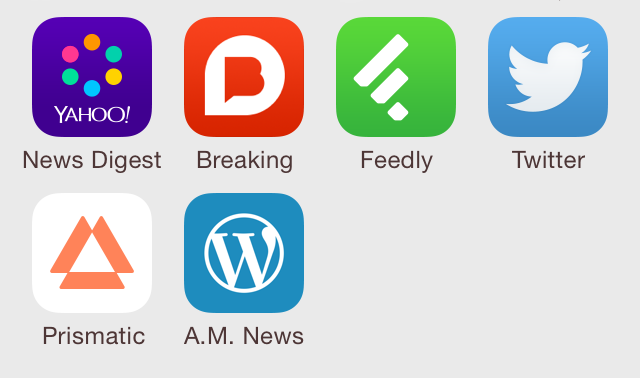
Fortunately, depending on how you like to consume your news, there’s an ideal app for every taste. Let’s have a look at six of them. They are all available for iOS and Android devices.
Best app for the basics: Yahoo News Digest
Yahoo may have fallen behind in the search engine race, but the company has had a resurgence of late in the quality of its apps. News Digest keeps you up to date with eight to 10 top stories in the morning and the evening. If you don’t have a lot of time for the news, you’ll at least be up date on the main issues of the day — and be able to hold your own in any conversation about current events.
Best app for up-to-the-minute news: Breaking News
Hardly a minute goes by without a news update in this app. Sometimes it’s a snippet from Twitter, sometimes a link to an in-depth article. Either way, you’ll always know what’s going on in the world. It’s especially handy when there’s big stuff happening and you can’t wait to read about the latest development.
Best app for news junkies: Feedly
If you can’t get enough news, your best bet is to find a good RSS reader. With these apps you can collect feeds from your favourite news sites so that they’re all accessible from one spot. Many sites give just a paragraph or two of their stories. If you want to read more, tap the headline and the app will act like a web browser, taking you to the feed’s website.
Best apps for news via social media: Twitter
Virtually every news organization has a Twitter feed, and you can follow them all on the official app provided by Twitter or one of many provided by third parties. The advantage is that you often get breaking news updates and pictures. And if you want to know more, a link will take you to the originating news site.
Best app for discovery: Prismatic
We all have a pretty good idea about the things that we’re interested in. But often there is news about subjects near and dear to us that we never knew existed. Prismatic uses an algorithm to get to know our interests by keeping track of what we read, and before long it’s recommending stories that are bound to catch our attention. Some discoveries can truly be delightful.
Best app for news about Kamloops: Home screen bookmark
Your best bet is to fire up the web browser on your smartphone and navigate to the website of your choice, then create a bookmark for your home screen. Using Safari on the iPhone, for example, you could go to armchairmayor.ca, and tap on the “share” icon in the middle at the bottom. Then tap on the icon for “add to home screen.”
These are the apps I like, but everyone has their own opinion. Let us know your favourites in the comment section. You can read more about communication in the digital age at my website: newsonaut.com.

 ArmchairMayor.ca
Leave a comment